イタリア伝統色 全HEX200色選択ツール
DICフランス伝統色 全322色 選択ツール(欠番F140含む)
DIC日本伝統色 全300色 選択ツール
Black to White 256色 選択ツール
カラーコード変換ツール
はじめに
「優れたAI生成画像の8割は、実は『色の指示精度』で決まると言われています。
Color-code Converterは、Hex/RGB/HSV/HSL/color name/日本語感覚表現を瞬時に橋渡しする専用ユーティリティ。
曖昧な色指定を排除し、意図したトーンを確実にイラスト・写真・UIデザインに落とし込みたいクリエイター必携の色変換ツールです。」
Color-code Converter – AI Image Generation Utility
高度な使い方・活用パターン
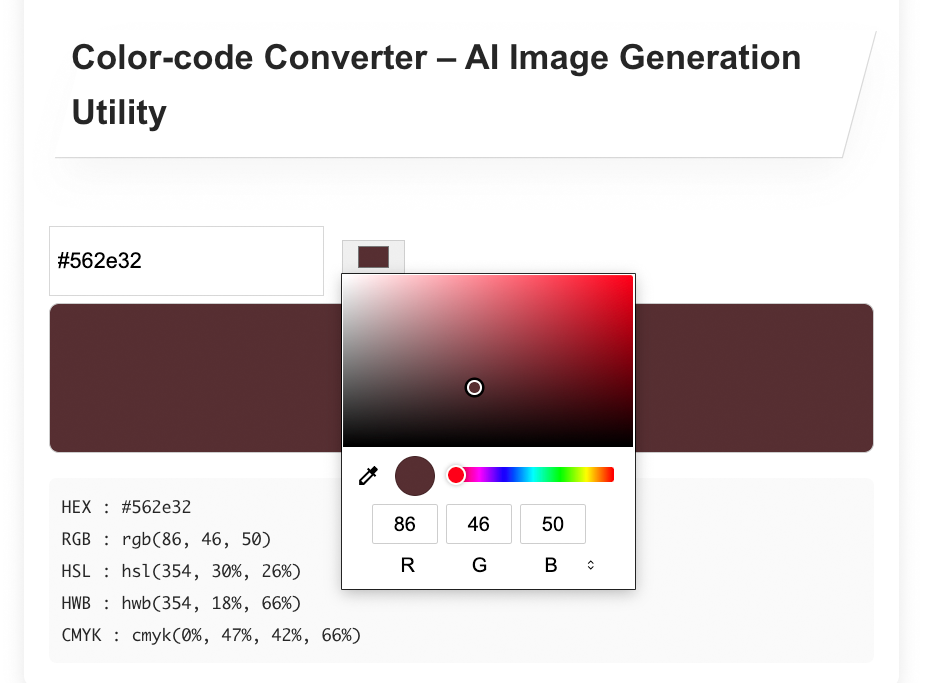
コンバーター入力ボックス右側にある小さなカラーボタンをクリックすると、カラーブレンダーがアクティブになります。
プロンプト内での重みの使い分け
1. 入力例:「深みのあるワインレッドに少し青みがかった暗いルビー」
2.出力された複数の下記数値を全部コピーします。
上記の例の場合、
・#562e32(HEX)→1の入力例を英語に翻訳します。deep wine red with blue undertone
・RGB(86,46,50)→コロンの後ろに余白を作らない。
・HSL(354,30%,26%)→コロンの後ろに余白を作らない。
→色名・HEX・HSLを併せて入力することによりAIモデルでは色を確実に認識しやすくなる。
3.プロンプト書き方の例(JSON – 重みでコントロール)
{
  "positive_prompt": {
    "global_quality": [
      "masterpiece",
      "best quality",
      "highly detailed",
      "(ultra-detailed:1.2)",
      "8k resolution",
      "hyper-realistic textures"
    ],
    "photography_style": [
      "high-fashion photography",
      "(cinematic lighting:1.25)",
      "(dramatic chiaroscuro:1.3)",
      "volumetric fog",
      "soft candlelight glow",
      "(professional product photography:1.1)"
    ],
    "subject_handbag": [
      "single-handle handbag",
      "exquisitely crafted handbag",
      "(elegant structured silhouette:1.25)",
      "luxury leather handbag",
      "(fine grain leather texture:1.2)",
      "polished gold hardware",
      "(gold hardware reflecting soft candlelight:1.15)"
    ],
    "subject_woman": [
      "beautiful woman holding handbag",
      "floor-length heavy velvet dress",
      "(rich deep wine red velvet:1.35)",
      "(velvet dress with subtle blue undertone:1.2)",
      "(dress color #562e32 hex:1.1)",
      "intricate lace cuffs",
      "(lace cuffs peeking from sleeves:1.15)"
    ],
    "scene_setting": [
      "dark romantic atmosphere",
      "(moody Baroque library:1.2)",
      "(candlelit stone corridor:1.15)",
      "ornate wood carvings background",
      "heavy velvet drapes in background",
      "(soft-focus background:1.1)",
      "(sophisticated melancholy atmosphere:1.25)"
    ],
    "lighting_and_mood": [
      "dramatic chiaroscuro lighting",
      "deep velvety shadows",
      "cool sapphire-tinted highlights in shadows",
      "(burgundy and plum color palette:1.3)",
      "(somber evocative color scheme:1.2)",
      "mysterious gothic noir mood",
      "(classic oil painting influence:1.15)"
    ],
    "composition": [
      "medium close-up",
      "(focus on handbag and velvet dress texture contrast:1.3)",
      "(tactile contrast between plush velvet and smooth leather:1.25)",
      "elegant and refined composition"
    ]
  },

  "negative_prompt": {
    "basic": [
      "low quality",
      "worst quality",
      "blurry",
      "out of focus",
      "jpeg artifacts",
      "bad anatomy",
      "deformed",
      "extra limbs"
    ],
    "style_avoid": [
      "cartoon",
      "anime",
      "illustration",
      "3d render",
      "plastic",
      "cheap fabric",
      "bright cheerful colors",
      "daylight",
      "overexposed"
    ],
    "color_avoid": [
      "neon colors",
      "pastel",
      "white dress",
      "pink",
      "yellow",
      "green"
    ],
    "composition_avoid": [
      "wide shot",
      "full body shot from distance",
      "multiple people",
      "text",
      "watermark",
      "logo"
    ]
  },

  "weight_suggestion": {
    "very_important": 1.35,
    "important": 1.25,
    "slightly_emphasize": 1.15,
    "normal": 1.0,
    "de_emphasize": 0.85,
    "avoid": "(keyword:0.6)"
  },

  "example_prompt_assembly": "(masterpiece, best quality, ultra-detailed:1.2), high-fashion photography, (dramatic chiaroscuro:1.3), (rich deep wine red velvet dress:1.35), (subtle blue undertone:1.2), single-handle luxury leather handbag, (elegant structured silhouette:1.25), polished gold hardware reflecting candlelight, moody Baroque library, volumetric fog, sophisticated melancholy, medium close-up, tactile contrast between plush velvet and smooth leather, gothic noir, classic oil painting aesthetic"
}
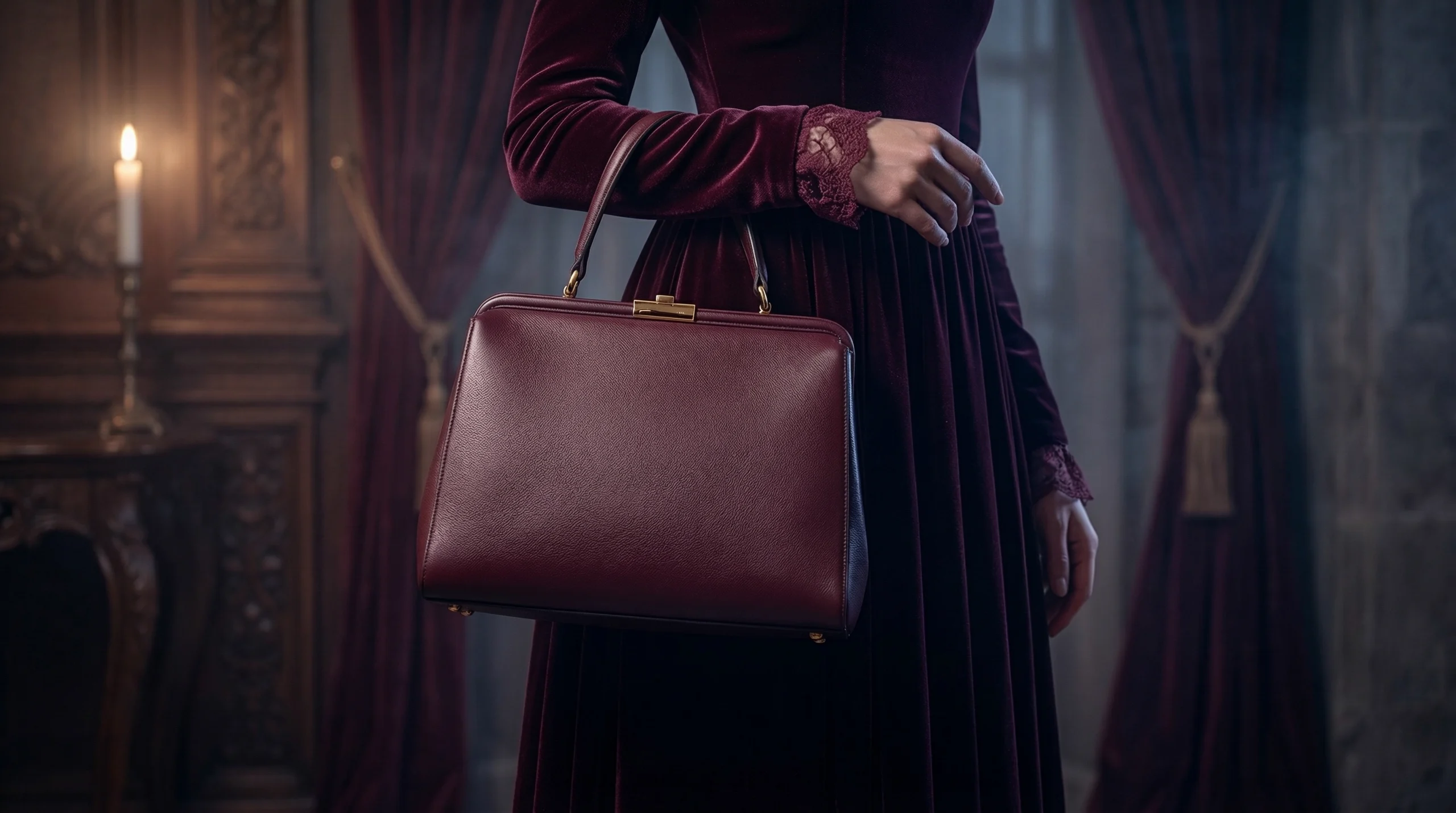
Google Nano Banana 2 で生成された画像
知っておくと便利なコツ – HSLについて
HSLとは、色を表現する際の3つの構成要素、色相 (Hue)、彩度 (Saturation)、輝度 (Lightness) の頭文字を取った色空間モデルです。
PCなどで一般的な「RGB(赤・緑・青)」は機械的な数値で色を定義しますが、HSLは「何色で、どのくらい鮮やかで、どのくらい明るいか」という人間の感覚に近いため、直感的に色を調整しやすいのが特徴です。
1. HSLの3つの要素
- H:色相 (Hue)
- 色の種類(赤、黄、緑、青など)を 0度〜360度の角度で表したものです。
- 0度は赤、120度は緑、240度は青といったように色相環上の位置で決まります。
- S:彩度 (Saturation)
- 色の鮮やかさを 0%〜100% で表します。
- 100%に近いほど鮮やかで、0%に近づくほど無彩色(グレー)になります。
- L:輝度 (Lightness)
- 色の明るさを 0%〜100% で表します。
- 50%がその色本来の明るさ、100%で白、0%で黒になります。
2. HSLを活用した「系統的な色バリエーション」爆速生成
・ベース色を決めたらHSLに変換
・Lightness(L)を5〜10%刻みで上下させる(明度変化)
・Saturation(S)を10〜20%単位で変化(鮮やかさ変化)
例: ベース「鮮やかなコバルトブルー」 hsl(210, 80%, 50%) → 派生色を一気に作る。
・hsl(210, 80%, 60%) ← 明るめ
・hsl(210, 70%, 45%) ← 少し落ち着いた
・hsl(220, 90%, 55%) ← 青味強め・鮮やか
・これを一括でプロンプトに並べると「同一系統のカラーパレット」として機能します。
3. スクショや参考画像の色を直接拾って「完全再現」プロンプト化
・手順
画像編集ソフト(Photoshop/GIMP/ペイントなど)でスポイト → HEXコピー
Converterに貼り付け → HSL + RGB を全部取得。
特に「公式アートを模写したい」「あのキャラの髪色を完全に再現」時に有効。
まとめ
今回の記事をご参考にしていただき、「Color-code Converter – AI Image Generation Utility」をAI画像生成時に「色の意図を極限まで伝え切る」ための強力な武器としてNano Banana 2 などの画像生成最新モデルの隠れた能力を最大限に引き出していただけることを願ってやみません。
投稿者プロフィール
- こんにちは、AKIRA Obataです。私はAI技術を活用して、独自のデジタルアートを創作するアーティストです。テクノロジーとクリエイティビティの交差点で、新しい表現の可能性を探求しています。『aigenart』は、私の作品やアイデアを世界に発信する場であり、AIがもたらす美しさや楽しさを皆さんと共有したいと考えています。
最新の投稿
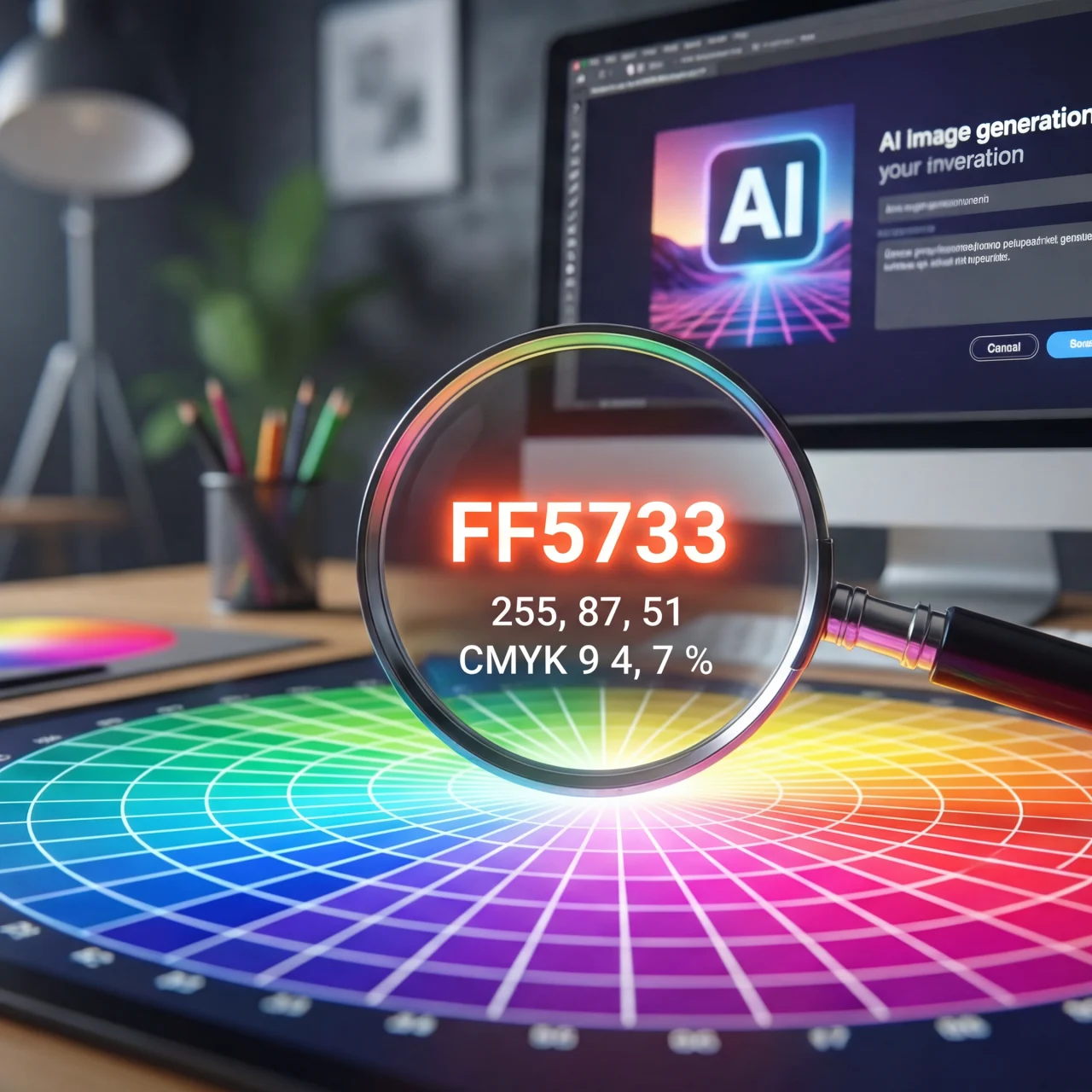 Prompt2026-03-09画像生成の完成度を高めるためのカラーコード変換ツール – その使い方
 Tools2026-03-08イタリア伝統色 全200色 選択ツール
 Tools2026-02-17DIC日本伝統色 全300色 選択ツール
 Tools2026-02-14DICフランス伝統色 全322色 選択ツール